WordPress (WooCommerce) online store maintenance is the regular technical care that keeps a store fast, secure and selling: updates, backups, security and speed monitoring, and a quick fix when something stops working. At INFOBGNET monthly maintenance costs €70 and includes updates, backups, monitoring, hosting and domain care and up to 1 hour of fixes every month.
Contents
- What is WordPress online store maintenance?
- Why an online store needs more care than a regular website
- What monthly online store maintenance includes
- Checklist: what to check and how often
- WooCommerce updates without breaking the store
- Online store security
- Speed: Core Web Vitals for an online store
- Do it yourself, a one-off freelancer or a specialist?
- What online store maintenance looks like month by month
- What report to expect from online store maintenance
- Online store maintenance before sales and holidays
- Online store maintenance and SEO
- How much does WordPress online store maintenance cost?
- The most common problems we see in stores without maintenance
- Frequently asked questions
- Conclusion
 I have been building and maintaining WordPress websites since 2012, and many of them are WooCommerce online stores. Almost every “urgent” problem store owners bring to me has the same cause: nobody has looked after the store for months. In this article I have collected what good online store maintenance actually includes, what you can do yourself and how much WordPress online store maintenance costs.
What is WordPress online store maintenance?
Online store maintenance is ongoing care after launch. It covers updating WordPress, WooCommerce, the theme and plugins, regular backups, security and uptime monitoring, speed tracking and checking that orders and payments go through. The goal is simple – the store sells every day, and you think about your business, not the code.Why an online store needs more care than a regular website
A brochure website can “survive” a few months without attention. An online store cannot. The reasons are concrete:- Orders and payments. Every bug in the cart or checkout is a lost sale. Often you only find out when a customer complains.
- More plugins. A store usually runs payment, shipping, invoicing, filtering and marketing plugins. More plugins mean more updates and more possible conflicts.
- Customer data. Customers’ names, addresses and phone numbers must be protected. A breach means lost trust and GDPR problems.
- Speed. A slow product page and a slow checkout lose customers, especially on mobile.
- Peaks. Sales and holidays load the server exactly when downtime costs the most.
What monthly online store maintenance includes
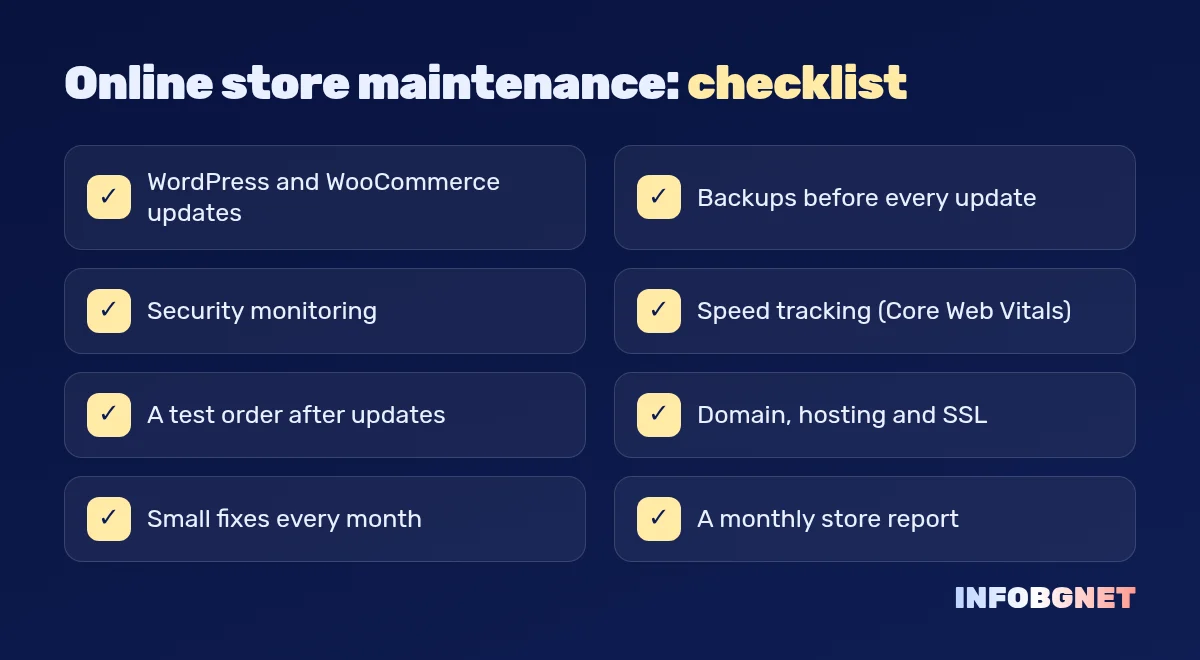
Good WooCommerce store maintenance includes at least the following:- Updates to WordPress, WooCommerce, the theme and plugins – on a schedule, after a backup, checking compatibility first.
- Backups – of the files and the database, regularly and always before an update. The backup is kept off the store’s server.
- Security and uptime monitoring – alerts on downtime, checks for malicious code and suspicious admin logins.
- Speed tracking – Core Web Vitals on the home page, categories, product pages and cart.
- Cart and checkout checks – a test order after updates, to be sure customers can pay.
- Hosting, domain and SSL – renewals and the certificate must not expire unnoticed.
- Small fixes – changing a text or banner, fixing a layout or a setting, without a separate quote for each.
Checklist: what to check and how often
| Task | How often | Why it matters |
|---|---|---|
| Backup of files and database | Regularly and before every update | Without a backup any mistake can be final |
| Plugin and theme updates | Every week or two | Many updates close security holes |
| WooCommerce and WordPress updates | On new releases, after checks | Major versions can change the store templates |
| Test order | After every update | Confirms payments and order emails work |
| Speed and Core Web Vitals | Every month | A slow store loses customers and Google rankings |
| Removing unused plugins | Every three months | Less code means fewer risks |
| Domain, hosting and SSL renewals | Before they expire | An expired domain takes the whole store offline |
WooCommerce updates without breaking the store
The most common mistake is clicking “Update all” on the live store. This is the order I follow for every update:- A full backup of the files and the database.
- Reading the release notes – especially for a major WooCommerce version.
- Updating a test copy (staging) first when the change is big.
- Updating the live store at a quieter time.
- A test order, plus checking the order emails and product pages.
- If something breaks – rolling back to the backup and calmly finding the cause.
Online store security
Security is not one plugin, it is a set of habits. This is what we check in every round of online store maintenance (more in the WordPress hardening guide):- Strong passwords and two-factor login for all administrators.
- Every user has only the permissions they really need.
- Only the plugins you need, from reliable authors and regularly updated.
- Card payments go through the payment provider (for example Stripe), and card data is not stored in the store.
- Regular, tested backups – a backup that cannot be restored is not a backup.
Speed: Core Web Vitals for an online store
Google measures three core metrics. According to web.dev (Core Web Vitals), good values are: LCP (loading of the main content) within 2.5 seconds, INP (response to interaction) within 200 milliseconds and CLS (layout shift) up to 0.1. In stores they are most often hurt by heavy product images, too many plugin scripts and slow hosting. Maintenance tracks these values every month and fixes them before they affect sales and Google rankings.Do it yourself, a one-off freelancer or a specialist?
| Yourself | One-off help | Monthly maintenance | |
|---|---|---|---|
| Cost | Your time | You pay for every problem | A clear monthly fee |
| Response to downtime | When you notice | When someone is free | Monitoring and a quick response |
| Backups | If you remember | Rarely | Regular and before every update |
| Knowledge of the store | Good | From scratch every time | The same person every month |
What online store maintenance looks like month by month
Good online store maintenance is a rhythm, not a one-off job. This is what a typical month looks like:- Week one – a backup, plugin and theme updates, a test order and a check of the emails sent to customers.
- Week two – a speed check of the home page, categories and cart; optimizing new heavy product images.
- Week three – a security review: users with admin rights, login attempts, unused plugins.
- Week four – the small fixes you asked for, plus a short report of what was done.
What report to expect from online store maintenance
If you pay for maintenance, you should know what you get. A useful monthly report is short and includes:- which plugins, theme and WooCommerce and WordPress versions were updated;
- when the last backup was made and whether it was tested;
- any downtime, errors or break-in attempts;
- how speed and Core Web Vitals changed;
- which fixes were made and what is recommended for next month.
Online store maintenance before sales and holidays
Black Friday, Christmas, Easter and big sales are when an online store earns the most – and when downtime costs the most. That is why online store maintenance before such a period includes:- Updates are done at least a week in advance, not on the day of the campaign.
- A full backup right before the start.
- Checking that hosting can handle more visitors – caching, server limits and cart speed.
- Test orders with every payment and shipping method.
- During the campaign – no big changes, only monitoring and a quick response.
Online store maintenance and SEO
Maintenance and SEO optimization are connected. Google ranks fast, stable and secure websites better, while broken pages, an expired SSL certificate or a hacked store lead to lost rankings. Good online store maintenance protects the foundation that SEO optimization is built on: fast loading, working internal links, correct redirects for deleted products and a clean sitemap. When maintenance and SEO are done by the same person, nothing gets lost between two contractors.How much does WordPress online store maintenance cost?
The price depends on the size of the store, the number of plugins and how much time it needs each month. At INFOBGNET website and online store maintenance is €70 a month and includes:- updates to WordPress, WooCommerce, the theme and plugins;
- website backups;
- security and uptime monitoring;
- page speed tracking;
- hosting and domain care;
- up to 1 hour of fixes every month.
The most common problems we see in stores without maintenance
- A conflict after an update – a shipping or payment plugin stops working with the new WooCommerce version and orders fail.
- An expired domain or SSL certificate – the store shows a warning or does not open at all.
- A missing or old backup – exactly when a previous version needs to be restored.
- A slow store – piled-up plugins, huge images and old PHP versions.
- Spam registrations and orders – with no protection for forms and accounts.
Frequently asked questions
How much does WooCommerce store maintenance cost?
At INFOBGNET monthly maintenance is €70 and includes updates, backups, security and speed monitoring, hosting and domain care and up to 1 hour of fixes. For a larger store with many plugins the price is agreed after a short review.How often should WooCommerce be updated?
Plugins and the theme every week or two; WooCommerce and WordPress when a new version is released, after a backup and a compatibility check. A major version is tested on a copy of the store first.Can I maintain my online store myself?
Yes, if you have the time and follow the checklist: a backup before every update, a test order after it and regular speed checks. The risk lies in the moments when something breaks and needs to be restored quickly.Do you maintain stores you did not build?
Yes, after a short review of the store. If I find serious security or code problems, I will tell you honestly what needs fixing before I take over maintenance.What happens if the store stops working?
I start by restoring the last working backup so the store is back online as quickly as possible, and then look for the cause. Small fixes are covered by the included hour of fixes.Conclusion
An online store is alive: updates are released every month, products and customers grow, and so do the risks. Good WooCommerce maintenance goes unnoticed – the store simply sells. If you want someone to look after your store, see website maintenance or write to us via the contact page. And if you are not sure what state your store is in, start with a free SEO audit.
European Accessibility Act Compliance 2026: What EU Website Owners Need to Know
European Accessibility Act compliance: the EAA deadline has already passed — 2026 is the first full year of active EU enforcement. See what WCAG…
Read more →
How do I monitor my competitors’ SEO performance?
Competitor SEO analysis means tracking which keywords, pages and links bring your rivals organic traffic – and finding the gaps you can win. Below…
Read more →
What does an SEO audit include?
What does an SEO audit include? A full audit covers 7 areas: technical health, site structure, content, local SEO, backlinks, visitor behaviour and E-E-A-T.…
Read more →Want an SEO audit of your website?
A free SEO audit, no commitment. Just a concrete look at what can be improved.